Symptoms
-
Emails cannot be sent via Roundcube due to the following error:
SMTP Error: Authentication failure: Invalid response code received from server (Code: 454)
-
The following warnings appear in the
/var/log/maillog
Dec 20 22:13:01 postfix/smtpd[28890]: warning: SASL authentication failure: no secret in database
Dec 20 22:13:01 postfix/smtpd[28890]: warning: localhost[::1]: SASL DIGEST-MD5 authentication failed: authentication failure
Cause
Broken Postfix configuration.
Resolution
Reinstall Postfix by switching to Qmail and back to Postifix:
-
via Plesk Installer:
-
Go to Plesk > Tools & Settings > Updates and Upgrades > Add/Remove Components > Mail hosting > SMTP servers ;
-
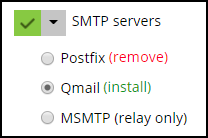
Select Qmail mail server:
-
Click Continue to start the installation;
-
When the installation is completed, click OK ;
-
Go to Add/Remove Components > Mail hosting > SMTP servers ;
-
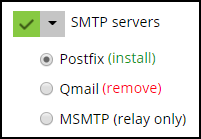
Select Postfix mail server:
-
Click Continue to start the installation;
-
When the installation is completed, click OK .
-
-
via Command Line Interface (CLI):
-
Connect to the server via SSH;
-
Execute the following commands:
# plesk installer --select-release-current --install-component qmail
# plesk installer --select-release-current --install-component postfix
-
