Question
How to restore a website file from a Plesk backup?
Answer
Go to
Tools & Settings > Backup Manager to restore a file from a server-wide backup
Domains > example.com > Backup Manager to restore a file from a subscription backup
Select a backup from which a file should be restored.
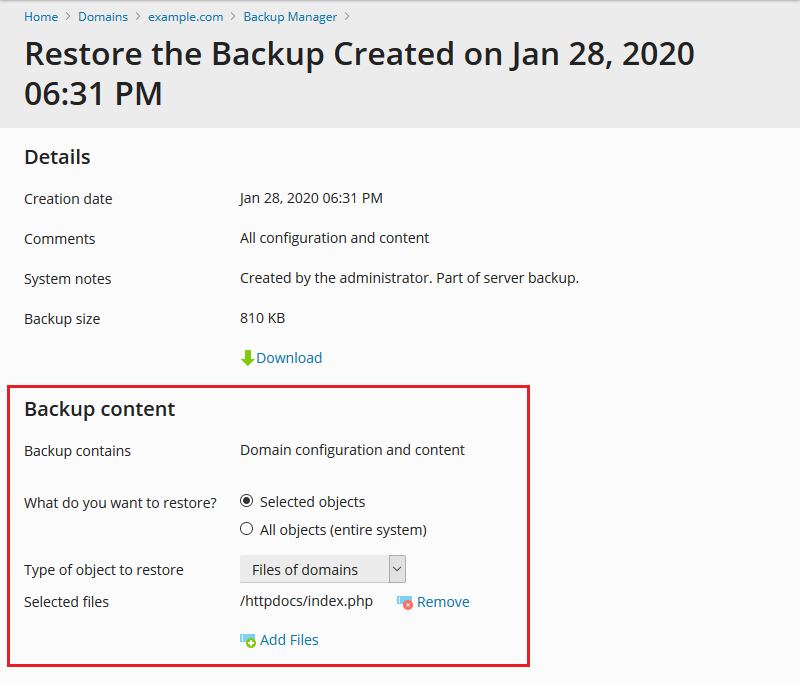
Select these options:
What do you want to restore: Selected objects
Type of object to restore: Files of domains
Click Add Files and select the file (or files) that needs to be restored.
Click Restore.
On the screenshot below, the file index.php will be restored.