Question
How to configure Plesk to store backups both in local repository and FTP/cloud storage?
Answer
Note: This setting is available starting from Plesk Onyx 17.8.
Configure Cloud or FTP storage:
at Tools & Settings > Backup Manager > Remote Storage Settings for server-wide backups.
at Subscriptions > example.com > Backup Manager > Remote Storage Settings for subscription backups.
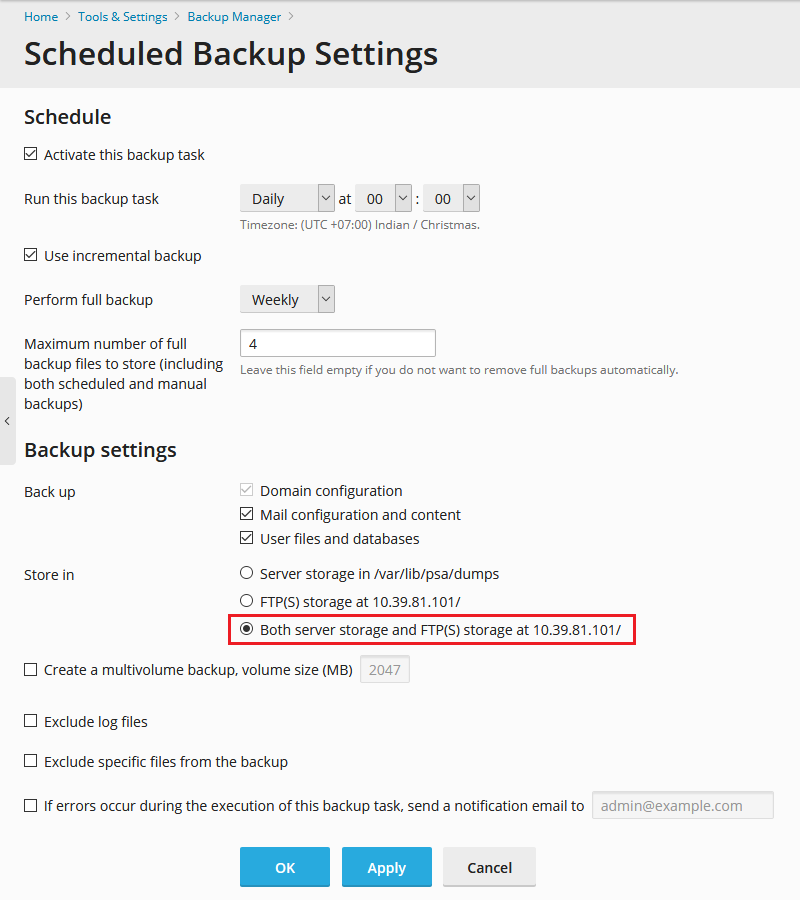
In Backup Manager, click Schedule and set the option Store in as Both server storage and FTP storage.
Apply the changes.
Once scheduled backup task is finished, both local and FTP backups will appear in the backup manager list.