Symptoms
Websites hosted in Plesk are not accessible.
DNS zones are not synchronized via the Slave DNS Manager extension.
It is not possible to telnet to the server locally on port 53:
# telnet localhost 53
Trying ::1...
telnet: connect to address ::1: Connection refused
Trying 127.0.0.1...
telnet: connect to address 127.0.0.1: Connection refused
Cause
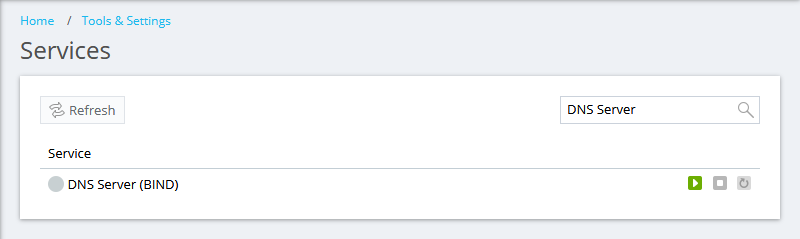
The DNS Server (BIND) service is stopped in Plesk at Tools & Settings > Services Management:
Resolution
Start the DNS Server (BIND) service:
In Plesk, go to Tools & Settings > Services Management.
Click the
 button next to the DNS Server (BIND) service.
Connect to the Plesk server via SSH.
Start the DNS server service:
on CentOS distributions:
# service named-chroot start
on Debian/Ubuntu-based distributions:
# service bind9 start
