Question
How to enable/disable HTTP Strict-Transport-Security (HSTS) for a domain in Plesk?
Answer
Note: A valid SSL certificate must be installed on the website, otherwise it'll not be accessible.
Note: The HSTS header won't be sent while the preferred domain is "www". There is an UserVoice created to improve this behavior
Install SSL It! extension in Extensions
Navigate to Domains > example.com > Hosting Settings and make sure SSL/TLS support is enabled
Navigate to Domains > example.com > SSL/TLS Certificates
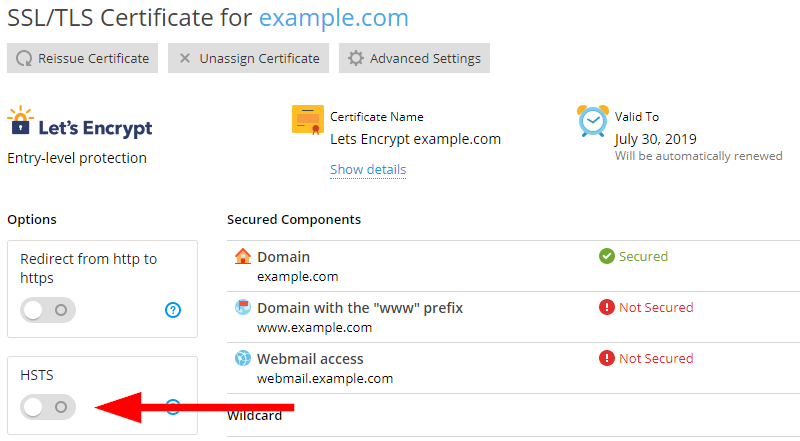
Click on the HSTS button:
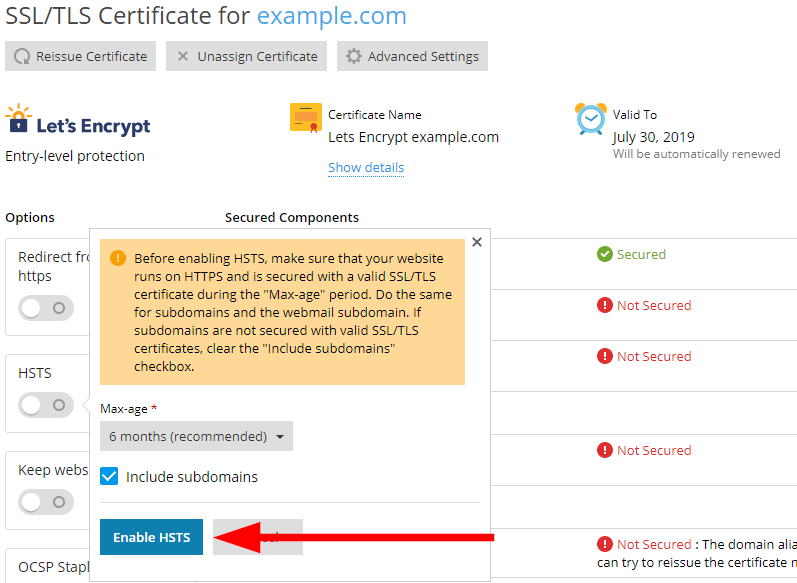
Configure the HSTS options and click on Enable (or Disable) HSTS: