Symptoms
-
There is no option Change Permissions in Domains > example.com > File Manager:

-
Files in the subscription root directory are under
root:rootpermissions:# ls -l /var/www/vhosts/example1.com/httpdocs/
-rw-r--r-- 1 root root 418 Sep 25 2013 index.php
-rw-r--r-- 1 root root 19935 Jan 7 02:32 license.txt
-rw-r--r-- 1 root root 7413 Dec 12 2016 readme.html
drwxr-xr-x 7 root root 4096 Apr 3 06:00 test
-rw-r--r-- 1 root root 5434 Sep 23 2017 wp-activate.php - Unable to edit files in Domains > example.com > File manager as the files are read-only
Cause
Incorrect permissions set for the /var/www/vhosts/example.com/httpdocs folder.
Resolution
-
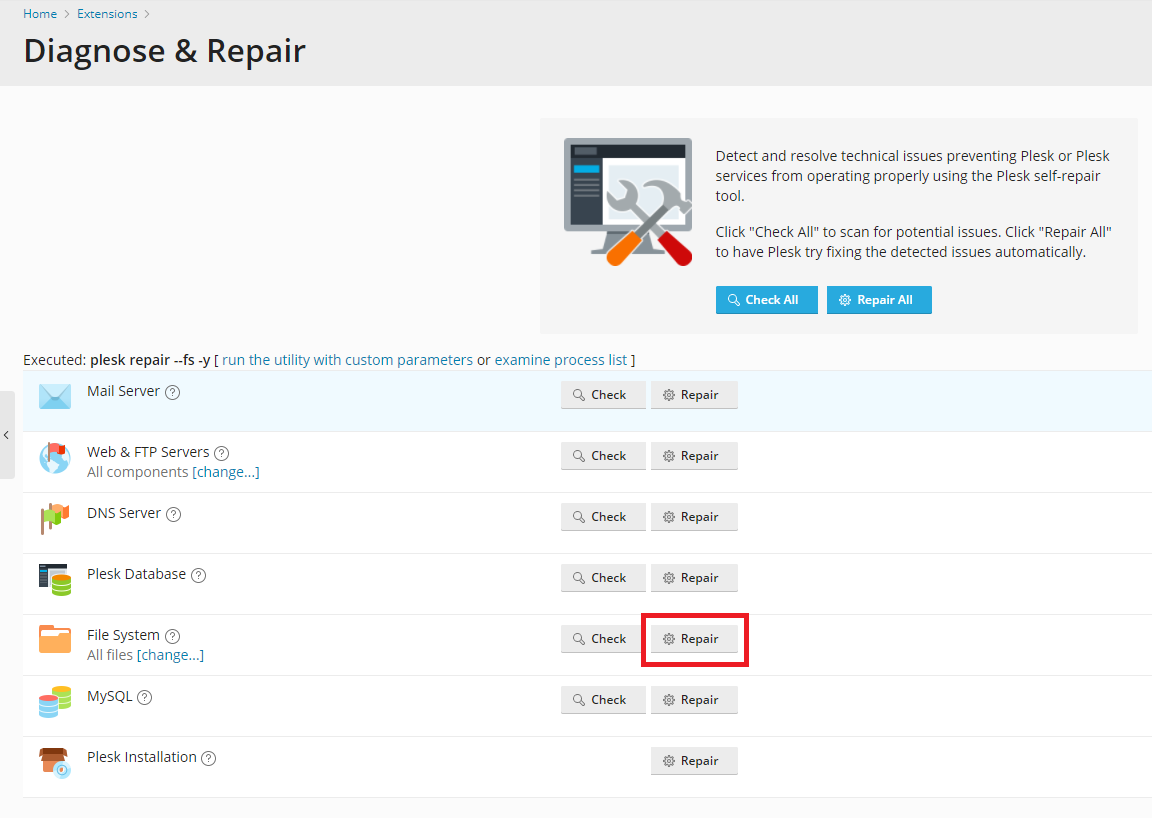
Go to Tools & Settings > Diagnose & Repair
Note: If Diagnose & Repair does not exist under the section "Assistance and Troubleshooting", Install the Plesk Repair Kit extension.
-
Click on Repair next to File System

Solution vía SSH
-
Connect to the server via SSH as root.
-
Execute the following command to restore the default permissions to files and folders:
# plesk repair fs example.com -y
Note: replace the example.com website with the correct one.
Warning: The repair utility above restores permissions for the
/var/www/vhosts/example.comand/var/www/vhosts/example.com/httpdocsfolders.In Plesk Onyx 17.0 and 17.5 permissions for files and folders inside the
/var/www/vhosts/example.com/httpdocswill not be fixed.In Plesk Onyx 17.8 and Plesk Obsidian files and folders inside the
/var/www/vhosts/example.com/httpdocsfolder will be fixed as well.Permissions to other files have to be set manually according to this documentation article:
