Symptoms
When changing an IP address for a domain via a command-line interface, the operation fails with:
# plesk bin subscription -u example.com -ip 203.0.113.2
Unable to set IP address 203.0.113.2 for hosting: it is already used by another account.
- Cannot change owner of the subscription:
# plesk bin subscription --change-owner "example.com" -owner "JoeDoe"
Some problems were encountered when attempting to assign some of the subscriptions to a new owner.
Unable to continue subscription transfer: IP pool of the new owner's provider is empty. Please make sure that the provider has at least one IP address in the pool. The IP address (in this example, 203.0.113.2) has the type 'dedicated' at Tools & Settings > IP Addresses.
The subscription belongs to a reseller or a reseller's customer.
The corresponding reseller does not have this IP address at Resellers > John Doe > IP Addresses.
Cause
The IP address has not been added to the reseller's IP address pool.
Resolution
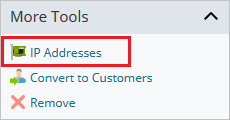
Go to Resellers > John Doe > IP Addresses.
Click the Add IP Address.

Select a required IP address from the list and click OK.
Set the IP address for the domain.
