Symptoms
Emails with the following error are sent to Plesk server administrator:
Subject: Cron <[email protected]> /usr/sbin/ntpdate -b -s 3.pool.ntp.org
/bin/sh: 1: /usr/sbin/ntpdate: not found
Cause
The package ntpdate used by scheduled task is not installed.
Resolution
When ntpdate is not used
Note: In modern operating systems nptd, chrony or systemd-timesyncd may be installed by default and ntpdate package is deprecated or not available. It is suggested to synchronize server time using NTP Timesync extension instead.
- Log into Plesk
- Navigate to Tools & Settings > Scheduled Tasks (Cron jobs)
- Select the scheduled task
/usr/sbin/ntpdate -b -s [n].pool.ntp.org: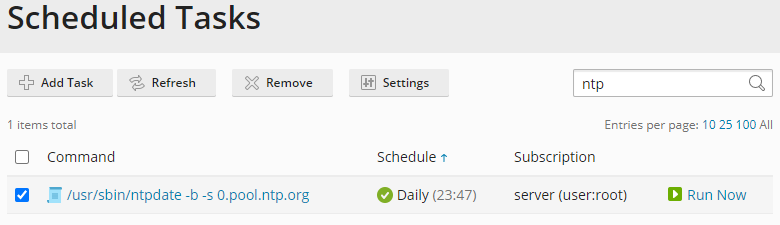
- Click Remove
When ntpdate should be used
Connect to the server via SSH
Install the
ntpdatepackage:On Debian / Ubuntu operating systems:
# apt-get update && apt-get install ntpdate
On RHEL / CentOS / Cloudlinux operating systems:
# yum install ntpdate
