Question
How to reset a password of a Plesk user account (reseller / customer / additional user)?
Answer
Note: If you are a Plesk user and forgot your password, please contact your service provider for assistance or use the "Forgot your password?" feature on the Plesk login page to reset your password.
Open the settings page of a user:
in Service Provider view
Open any subscription to which a user belongs > switch to the Users tab > click on a username > Change Settings.
in Power User view
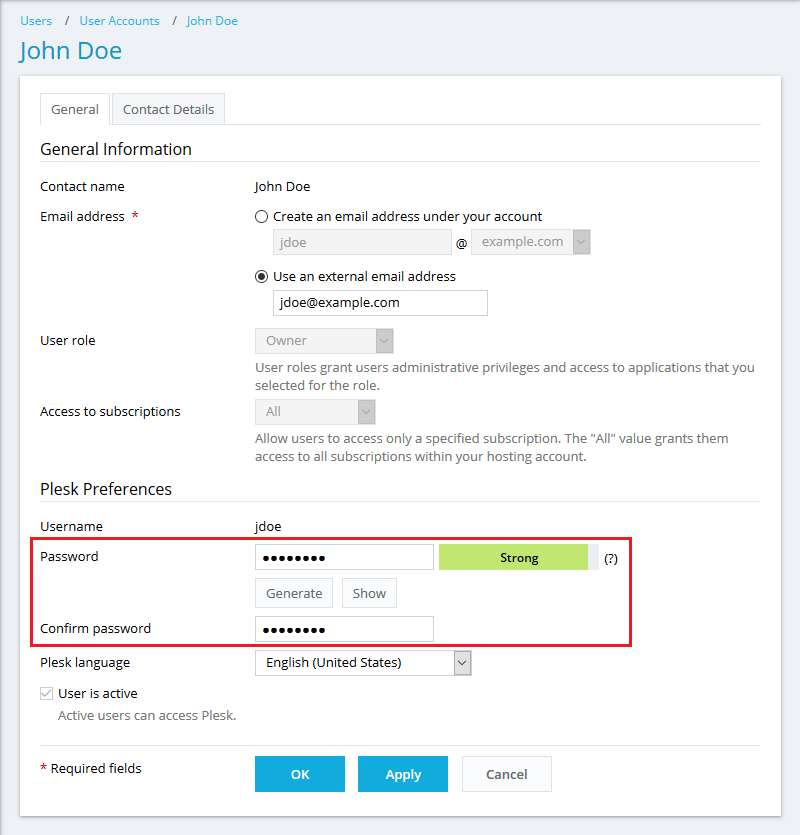
Go to Users > click on a username > Change Settings.
In the Plesk Preferences section, specify a new password and apply the changes.
Connect to the Plesk server via SSH (Linux) / RDP (Windows Server).
List all Plesk users (on Windows server, start a command prompt as an Administrator):
# plesk db "select contactName as 'Plesk customer/reseller',login as 'Login' from smb_users"
+----------------+-------+
| Plesk username | Login |
+----------------+-------+
| Administrator | admin |
| John Doe | jdoe |
+----------------+-------+Change the password for a Plesk user using his "Login" from the previous step:
# plesk bin user -u jdoe -passwd '12345'
where
- jdoe - a username of the customer
- 12345 - a new password
