Question
How to change the password of the subscription's system user in Plesk?
Resolution
In Plesk interface
-
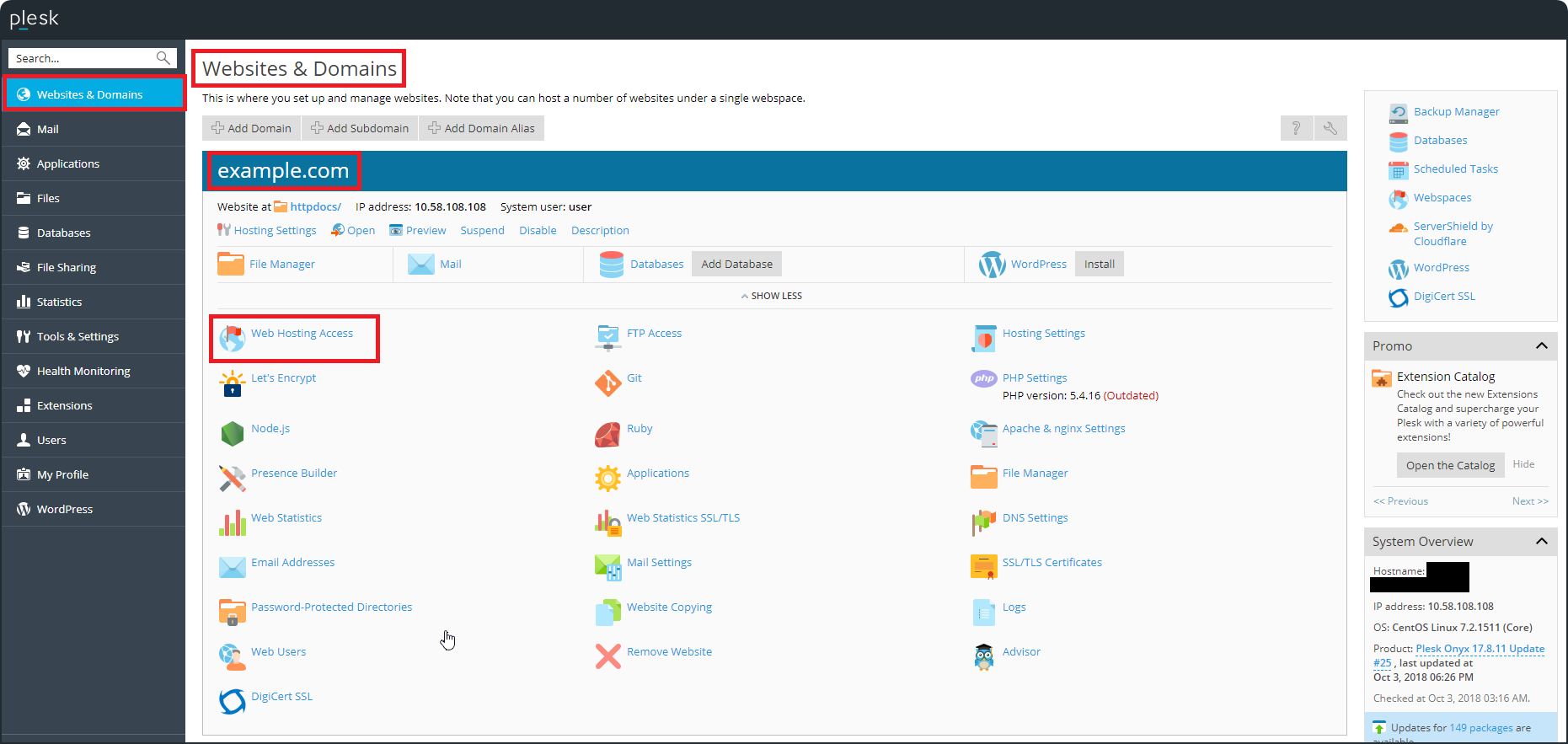
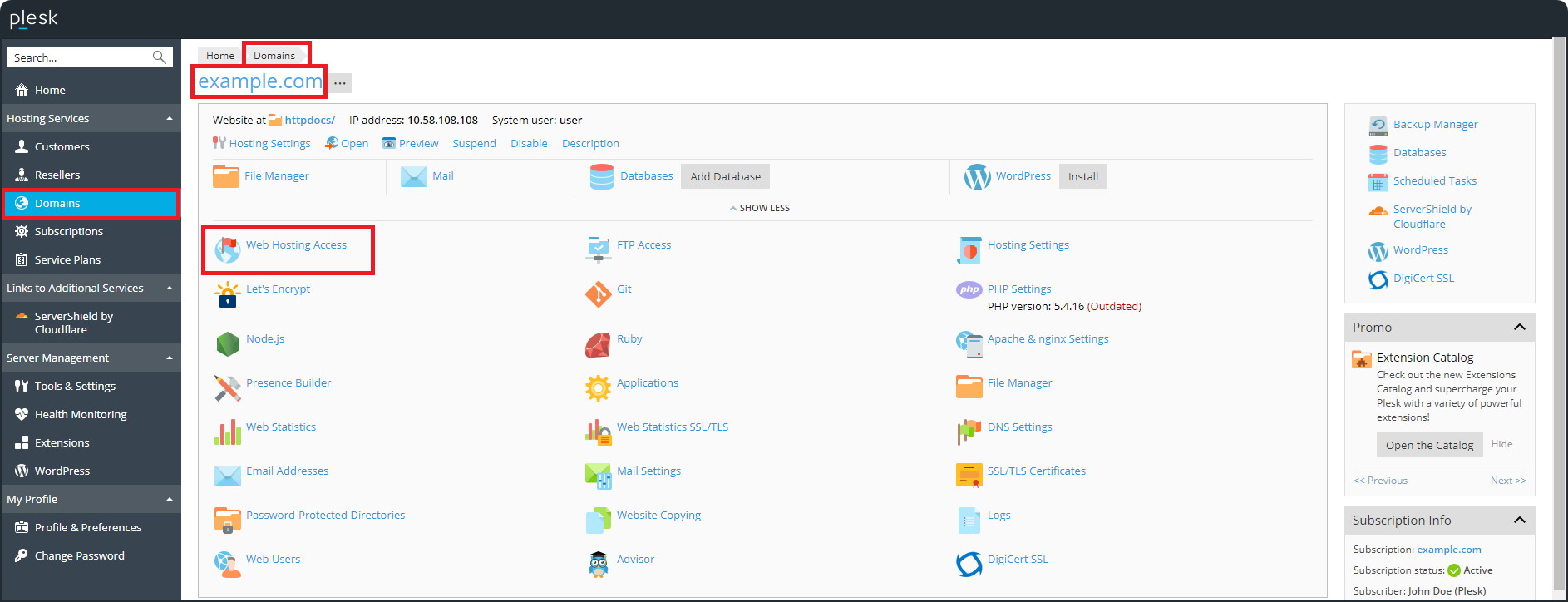
Go to the menu Web Hosting Access:
-
In Power User view: Websites & Domains (select a webspace in the top right corner if necessary), scroll down to example.com and select Web Hosting Access:

-
In Service provider view: Domains > example.com > Web Hosting Access:

For more details about Plesk views, see Plesk Onyx Administrator's Guide.
-
-
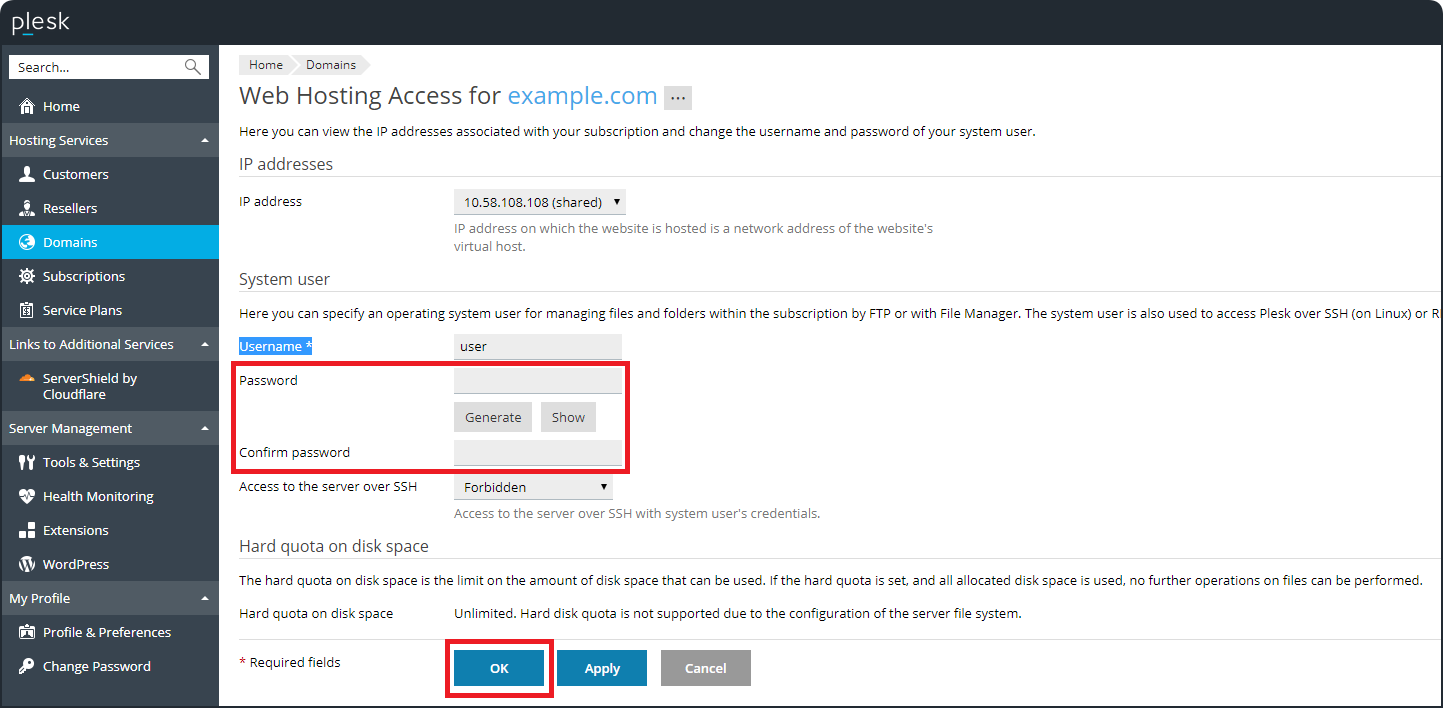
In the section System user, set the new password of the system user in the fields Password and Confirm password and click OK or Apply to save the changes: