After logging in to Plesk, you are presented with the Plesk graphical
interface. Various tools and controls that will help you run your
business are ordered by function and arranged into sections displayed on
the left side of the screen.
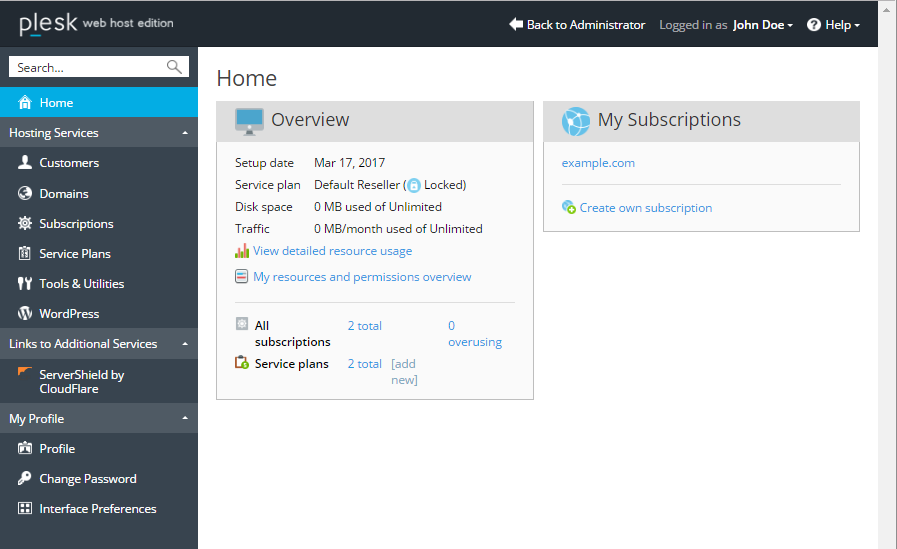
You land on the Home section when you log in, and go from there
depending on the task you need to accomplish. Here is a short
description of sections and the tasks that can be performed on each one:
- The Home section gives you a bird’s eye view of your account. It
displays vital information, such as how much disk space and traffic
your account is currently using versus the maximum allowed amount
(note that this includes both your subscriptions, if you have any,
and those of your customers), or how many customers are overusing
resources. It also provides a list of all subscriptions you own, as
well as the name of the reseller plan you are subscribed to, the
number of subscriptions and service plans you created, and more. - The Customers section lets you see and manage your customers. You
will need to create a customer account for every client you onboard,
and this section is where you do it. You can add or remove customer
accounts, suspend and activate them, and also change their settings. - The Domains section lists all domains on your account, including
domains that you own and those of your customers. Here you can add or
remove domains, subdomains, and domain aliases. You can also suspend
and activate them, as well as change their hosting settings. - The Subscriptions section contains all subscriptions on your
account. This includes both your own subscriptions and those of your
customers. Note how this is different from customers and domains,
since one customer can own a number of subscriptions, and every
subscription can have more than a single domain on it. In this
section you can add or remove subscriptions, suspend and activate
them, and also change the service plan for one or more subscriptions
or re-assign them to a different customer, and also change their
settings. - The Service Plans section is where you manage your service plans.
You can add, clone, or remove plans and add-on plans, as well as
change their settings. - The Tools & Utilities section contains a number of useful tools
that help you keep track of how much resources you are using, and
that let you change various settings related to your account. You can
also back…
